Storm Sentinel PLUS7-inch touchscreen WiFi weather station
Lower 48 states only. Alerts appear on the screen and make no sound.
from $209.99
Buy on Etsy (opens in a new tab)The big-screen Storm Sentinel.
Storm Sentinel PLUS is Storm Sentinel with a lot more screen: a 7″ color touchscreen that rotates through eight screens of National Weather Service conditions, forecasts and alerts, with a looping NOAA radar. It works with ZIP codes in the lower 48 states, and setup happens on the touchscreen itself, so you never pick up a phone.
The extra room goes to radar, storm outlooks and alerts. When the Weather Service issues a warning for your location, the whole screen changes to that hazard’s color and shows what it is, when it ends and the first instruction the forecasters give. On days with storm risk, a Storm Outlook screen joins the rotation with the Storm Prediction Center’s risk level for your area.
It keeps the two things people like most about the original. The Outdoor Score weighs active alerts, the forecast for the next six hours and the current conditions, and gives you one number from 0 to 99: green for a good day outside, red for a day to stay in. And Higgins, the storm cloud, dresses for the weather (it carries an umbrella when it rains, wears sunglasses in the heat and gets out binoculars on storm-risk days) and comes up with a different one-liner every five minutes. While a watch or warning is in effect, Higgins drops the jokes and keeps to plain safety advice.
Before you buy: Storm Sentinel PLUS works with ZIP codes in the lower 48 states only, and it needs a 5 V USB wall adapter rated for 2 A or more, which is not in the box. It is not a NOAA Weather Radio. It has no speaker, so alerts appear on the screen only and can’t wake you. Leave your phone’s emergency alerts on or keep a weather radio, particularly overnight.
from $209.99
The final price, shipping and any color choices are on the listing, and checkout stays on Etsy.
Buy on Etsy (opens in a new tab)Checkout happens on Etsy. This opens the Storm Sentinel PLUS listing in a new tab.
- No subscription
- Setup in a few minutes, nothing to install
- Free updates over WiFi
- 90-day warranty
Storm Sentinel PLUS: quick facts
- Kind
- Weather station with a 7″ color touchscreen (800 × 480) and WiFi
- Shows
- Eight screens: Home, Radar, Next 36 Hours, This Week, Storm Outlook, Sun & Moon, Last 24 Hours, and Watches & Warnings
- Data
- The National Weather Service, its Storm Prediction Center and Weather Prediction Center, and NOAA radar
- Works in
- ZIP codes in the lower 48 states; not Alaska, Hawaii, Puerto Rico or the other US territories
- Alerts
- On the screen only, in four levels. It has no speaker and is not a NOAA Weather Radio
- Setup
- About two minutes on the touchscreen, with no phone, app or account
- Power
- A 5 V USB wall adapter rated for 2 A or more (not included); a USB-C cable is in the box
- WiFi
- A 2.4 GHz network, with a password or without one; it can’t use a 5 GHz-only network, or one with a username or a sign-in page
- Size
- About 7.25 in wide, 4.3 in tall and 0.75 in deep (about 184 × 109 × 19 mm)
- Made
- By hand in Olive Branch, Mississippi, with a 90-day warranty
TWO SIZES
Storm Sentinel or Storm Sentinel PLUS?
Both show National Weather Service forecasts, alerts and radar, with the Outdoor Score and a storm-cloud mascot. They differ in size, in how much they show and in where they work.
| Compared | Storm Sentinel | Storm Sentinel PLUSThis page |
|---|---|---|
| Screen | 3.5″, 480 × 320; a finger or the stylus | 7″, 800 × 480; capacitive, so you use a finger |
| Screens | Five | Eight, adding Storm Outlook, Sun & Moon and Last 24 Hours |
| Radar | The last hour, looping over satellite imagery | Recent scans looping over county and state lines, at three zoom levels |
| Alerts | A new watch or warning takes over the screen | Four levels, from a banner for an advisory to a red screen for a Tornado Warning |
| Works in | Any US ZIP code, including Alaska, Hawaii and the US territories | ZIP codes in the lower 48 states |
| Setup | In your phone’s browser | On the touchscreen, without a phone |
| Power | A USB-A phone charger or a computer’s USB-A port | A 5 V USB wall adapter rated for 2 A or more |
| Size | About 4.2 × 2.35 × 0.72 in | About 7.25 × 4.3 × 0.75 in |
| Enclosure | Black, Blue, Gray, Red or Semi-Transparent | Black |
ON THE SCREEN
Eight screens
Home
The current temperature in big numerals over a sky the unit models from astronomy and NOAA data, plus the feels-like temperature, today’s high and low, wind, humidity, the chance of rain and a one-line outlook. The Outdoor Score and Higgins live here too, and a swipe up adds pressure, visibility and dew point.
Radar
A loop of recent NOAA radar scans centered on your home, drawn over county and state lines with the outlines of active watches and warnings. It has three zooms: LOCAL, REGION and WIDE.
Next 36 Hours
A headline in plain English, a temperature curve and hour-by-hour rain chances.
This Week
Seven days of highs, lows and rain chances with the NWS forecast text. When the Storm Prediction Center names a risk for one of the first three days, that day carries its label. A day with no label isn’t a promise of quiet weather.
Storm Outlook
Shown only on days with storm risk where you live: the Storm Prediction Center’s risk level, its tornado, wind and hail probabilities for the area within 25 miles, today’s storm reports, and the key messages your local forecast office has posted.
Sun & Moon
Today’s sunrise and sunset, how long the day is, when golden hour starts and what phase the moon is in. The unit calculates all of it itself.
Last 24 Hours
Graphs of pressure, temperature and wind gusts across the past day, with a plain reading of where the pressure is heading.
Watches & Warnings
Every active NWS alert for your location, the most severe at the top, along with storm warnings within 25 miles. Tap any of them to read the full NWS text.
The same NWS feed, live
CONNECTINGACQUIRING NWS SIGNAL…
This is the live National Weather Service feed for Olive Branch, Mississippi, where every Storm Sentinel PLUS is built. The panel is a small sample of that data, not a picture of the 7″ screen. Yours shows the weather for your own ZIP code.
THE GOOD STUFF
What it does well
-
Warnings that take the whole screen
When the NWS issues a warning for your location, the screen changes to that hazard’s color and shows the warning’s name, the time it ends, hail and wind figures when the NWS gives them, a small map and the forecasters’ first instruction. It steps back when you tap GOT IT or after two minutes, and a ribbon stays across the top until the warning is over.
-
Four levels of alert
An advisory gets a banner, a watch gets a card and then a colored ribbon on every screen, and a warning takes the whole screen. The most dangerous ones (a Tornado Warning for your location, an Extreme Wind Warning, a Flash Flood Emergency and a few more) get a red or maroon screen with the action to take, and it can’t be dismissed while the alert is in force.
-
Storm Outlook on risk days
When the Storm Prediction Center puts your area at risk for the day, an extra screen joins the rotation with the risk level, its tornado, wind and hail probabilities for the area within 25 miles, today’s storm reports, and the key messages your local NWS office has posted.
-
Radar at three zooms
Recent NOAA radar scans loop around your home over county and state lines, with the outlines of active watches and warnings and rings at 25 and 50 miles. LOCAL, REGION and WIDE show about 140, 290 and 580 miles across. A scan usually reaches it 11 to 22 minutes after it was taken, and the screen always says how old the newest one is.
-
The Outdoor Score and Higgins
One number from 0 to 99 answers “should I be outside right now?” Next to it, Higgins the storm cloud dresses for the weather and has something to say about it. You choose how talkative it is: FULL, CALM or DATA ONLY.
-
The Light Rail
A thin strip of light along the bottom edge of the screen follows the weather: green in clear weather, blue in rain, purple in thunderstorms. While an alert is active it takes that alert’s color.
-
Set up on the screen
Pick your WiFi network, enter the password with the on-screen keyboard and give it your ZIP code. It takes about two minutes, and you don’t need a phone, an app or an account.
SPECS
The fine print, printed large
| Display | 7″ color capacitive touchscreen, 800 × 480. It responds to a finger (tap, swipe, hold). It looks best viewed straight on |
|---|---|
| Screens | Eight, with a new one every 12 seconds unless you choose 8, 20 or 30. Tap an empty spot or swipe left for the next one, swipe right to go back |
| Data source | The National Weather Service, its Storm Prediction Center and Weather Prediction Center, and NOAA radar |
| Refresh | Checks conditions every 10 minutes, though many stations report only once an hour. Alerts every 2 minutes, stepping up to once a minute during an active alert |
| Coverage | The lower 48 states, by ZIP code. It doesn’t cover Alaska, Hawaii, Puerto Rico or the other US territories |
| Alerts | On the screen only, in four levels (advisory, watch, warning, emergency). There is no speaker |
| Readings | There is no outdoor sensor: the temperature, wind and humidity shown are from the closest NWS reporting station, which is often an airport a few miles off |
| Brightness | Set by hand from 10 to 100 percent, with no automatic night dimming. Warning screens normally show at 80 percent or brighter |
| Units | °F or °C, and a 12 or 24 hour clock |
| WiFi | 2.4 GHz networks, with a password or without one. Not 5 GHz-only networks, or ones that ask for a username or send you to a sign-in page |
| Power | USB-C, 5 V, from a 2 A or stronger wall adapter (not included). Most computer USB ports can’t supply enough. It has no battery and has to stay plugged in |
| Updates | Free over-the-air firmware updates, automatic |
| Size | About 7.25 in wide, 4.3 in tall and 0.75 in deep (about 184 × 109 × 19 mm) |
| Language | English |
| Built in | Olive Branch, Mississippi (assembled and tested by hand) |
| Intended use | General information only. It isn’t an official warning device, and it isn’t a product of the National Weather Service |
Storm Sentinel PLUS comes in a black enclosure.
IN THE BOX
- Storm Sentinel PLUS unit, fully assembled
- Desktop stand
- USB-C cable
No wall adapter is included. It needs a 5 V USB wall adapter rated for 2 A or more, and most computer USB ports can’t supply enough.
SETUP
- Plug it into a 5 V USB wall adapter rated for 2 A or more. Most computer USB ports can’t supply enough power.
- A welcome screen from Higgins shows a short notice. After reading it, press and hold HOLD: I UNDERSTAND for about a second.
- Choose your WiFi network from the list and tap NEXT. Enter its password with the keyboard on the screen, then tap CONNECT.
- Use the keypad to enter your ZIP code, then tap OK. It shows the place it found (the name comes from the NWS and may be a neighboring town). If that’s right, tap LOOKS RIGHT.
- Last, choose a personality setting for Higgins: FULL, CALM or DATA ONLY. Tap NEXT, and within about a minute the screen shows your weather.
START OVER
After a move, a new router or a new WiFi password:
- Press and hold anywhere on the screen for 3 seconds, and Settings opens.
- Tap Location & Wi-Fi, then CHANGE beside Wi-Fi or ZIP code.
- The setup steps open again on the screen. Nothing changes until you finish the last one, and CANCEL keeps your old settings.
The manual · PDF
Storm Sentinel PLUS manual
The full PDF guide to your Storm Sentinel PLUS, free to read or keep.
QUESTIONS
The ones that reach my inbox
How is Storm Sentinel PLUS different from Storm Sentinel?
Storm Sentinel PLUS has a 7″ capacitive touchscreen where Storm Sentinel has a 3.5″ one, eight screens where Storm Sentinel has five, and it is set up on the touchscreen itself where Storm Sentinel uses your phone’s browser. It adds a Storm Outlook screen on storm-risk days, Sun & Moon, Last 24 Hours, radar with three zoom levels and four levels of alert. Storm Sentinel still does two things PLUS doesn’t: it covers Alaska, Hawaii and the US territories, and it runs from a phone charger or a computer’s USB port. PLUS covers the lower 48 states only and needs a 2 A wall adapter.
Is Storm Sentinel PLUS a weather radio?
No. Storm Sentinel PLUS doesn’t receive NOAA Weather Radio broadcasts and has no speaker, so its alerts appear on the screen only and can’t wake you. They come over your WiFi from the National Weather Service, which means a power cut switches it off and an internet outage stops new alerts from arriving. Leave your phone’s emergency alerts on or keep a NOAA Weather Radio, particularly at night.
How quickly do alerts reach it?
Storm Sentinel PLUS asks the National Weather Service for alerts every two minutes, and every minute while one is in effect, so a new alert usually reaches the screen about two minutes after it is posted. A slow connection or a slow day at the NWS can stretch that, and a weather radio or the emergency alerts on your phone can beat it. It watches a single point at the middle of your ZIP code, which is why your phone may sometimes show an alert it doesn’t. A tornado, severe thunderstorm, flash flood or extreme wind warning that passes within 25 miles without covering that point is marked NEARBY and leaves the screen alone.
Does Storm Sentinel PLUS work in Alaska, Hawaii or Puerto Rico?
No. Storm Sentinel PLUS covers ZIP codes in the lower 48 states. For Alaska, Hawaii, Puerto Rico or another US territory, the original Storm Sentinel is the one to get, because it works with any US ZIP code.
What do I need to power it?
Storm Sentinel PLUS needs a 5 V USB wall adapter rated for 2 A or more, which is not in the box; a USB-C cable is. Most computer USB ports don’t put out enough power for it, and an underpowered charger or a long, thin cable can cause restarts. It has no battery and has to stay plugged in.
Does it have an outdoor sensor?
No. Storm Sentinel PLUS has no outdoor sensor. Its temperature, wind and humidity are the readings from the nearest NWS reporting station, which is often an airport and can be several miles from your house.
What kind of WiFi does it need?
Storm Sentinel PLUS needs a 2.4 GHz WiFi network, with a password or without one. It won’t connect to a 5 GHz-only network, or to the kind that wants a username or opens a sign-in page first, which hotels and schools often run. Most home routers broadcast 2.4 GHz next to their 5 GHz network, so this is rarely a problem at home.
What happens if a data source changes or shuts down?
I’ll do what I reasonably can to keep your gadget working, and updates arrive over the air on their own. But nobody can guarantee that an outside data feed will exist forever, and most of my gadgets depend on one. The hardware is always yours. The data is for fun and general awareness, not for navigation, emergencies or safety-critical decisions.
Get a Storm Sentinel PLUS
The Etsy listing has the final price and shipping, and checkout happens on Etsy with full buyer protection.
Fine print: this gadget shows live data from outside sources I don’t control. I’ll keep it flowing for as long as I can, and the FAQ explains what that means.
from $209.99
Buy on Etsy (opens in a new tab)MORE FROM THE LAB
Three more from the bench
 live data
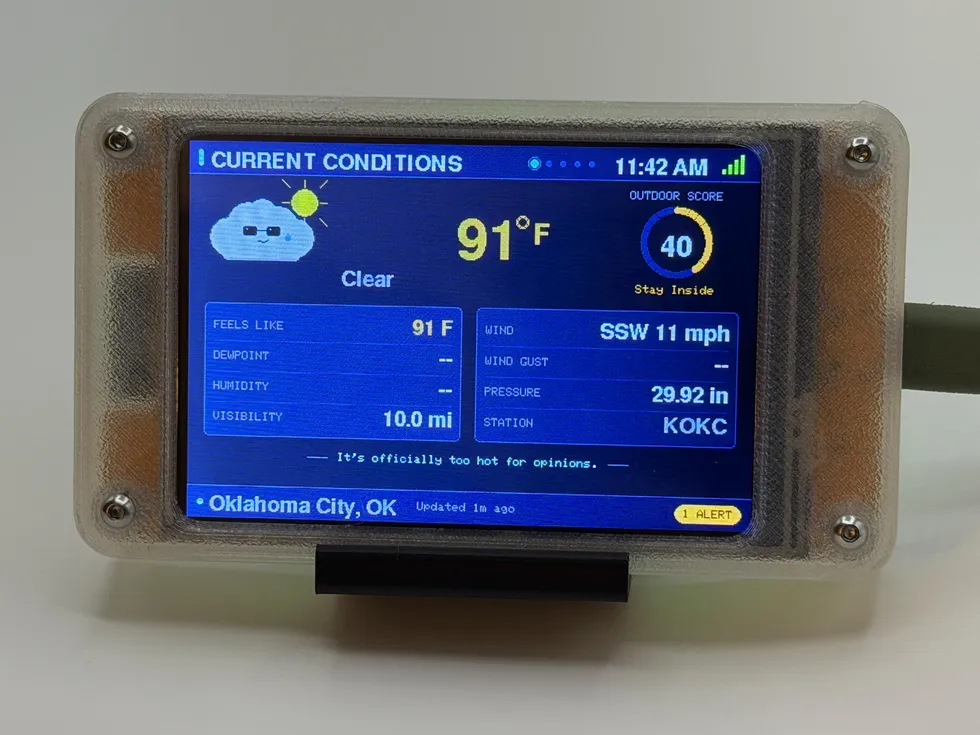
Storm Sentinel
WiFi desktop weather station
from $114.99
Forecasts, severe-weather alerts, and radar straight from the National Weather Service, plus an Outdoor Score and a storm-cloud mascot with opinions.
See the gadget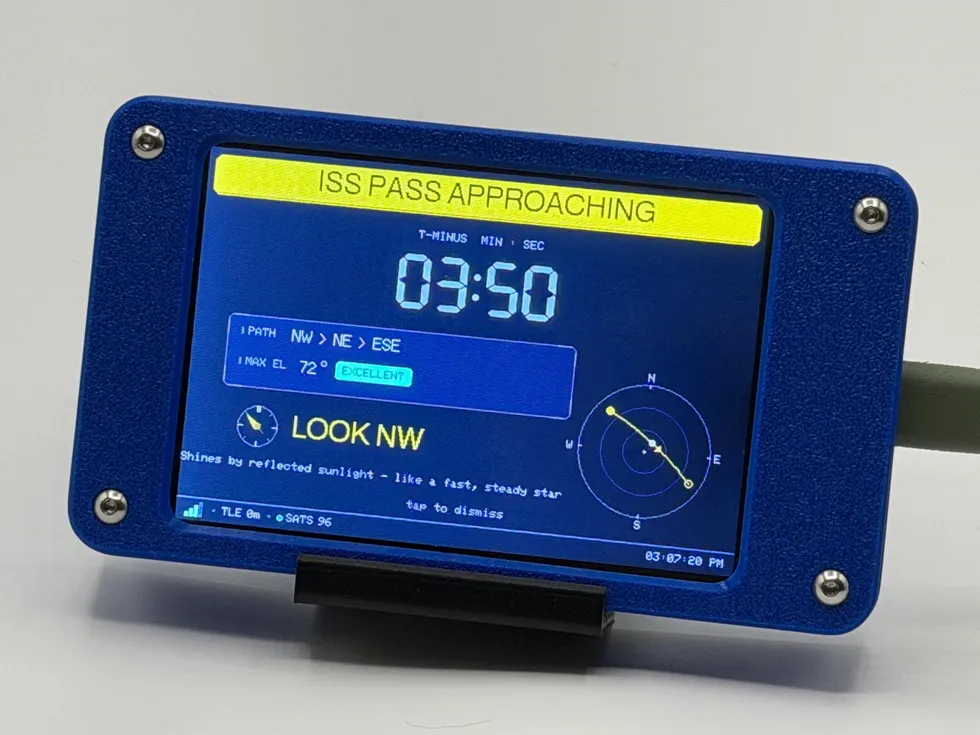 live data
Satellite Sentinel
ISS & Starlink tracker
from $119.99
Counts down to the next visible ISS pass over your house and tells you which way to look. It also tracks up to 100 Starlink satellites.
See the gadget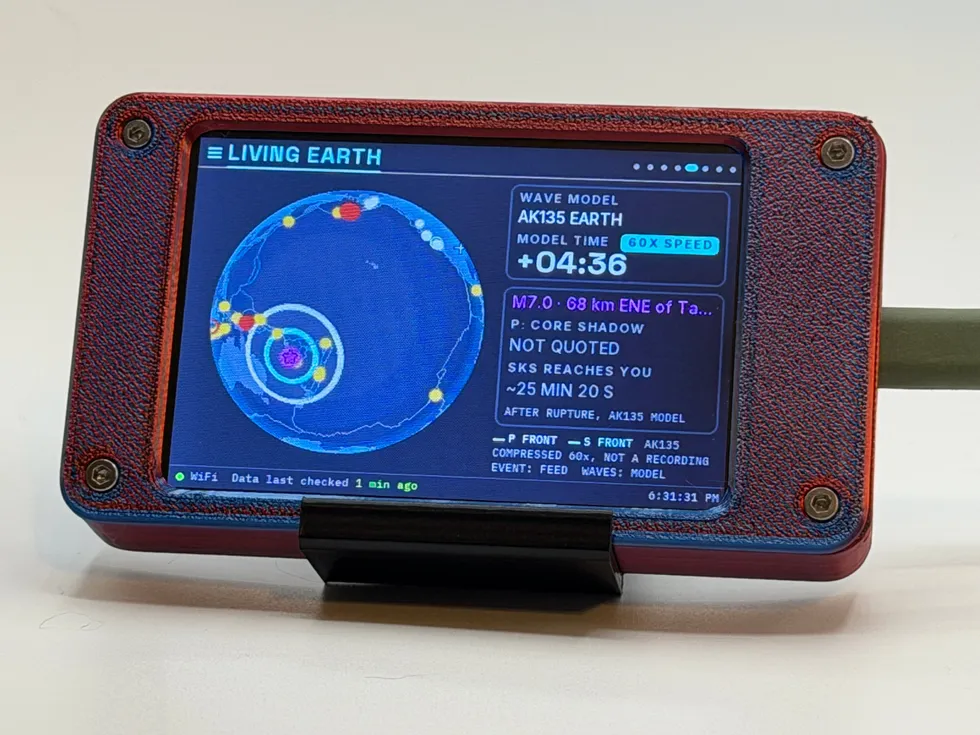 live data
Seismic Sentinel
WiFi earthquake tracker
from $114.99
Earthquakes from around the world as the USGS reports them, on a globe lit by the real sun, with an estimate of whether the nearer ones would have been felt where you live.
See the gadget