Seismic SentinelWiFi earthquake tracker
Not an earthquake warning system: it reports quakes after the USGS posts them.
from $109.99
Buy on Etsy (opens in a new tab)The world’s earthquakes, told from your desk.
Seismic Sentinel keeps the planet’s earthquakes on your desk. Every three minutes it checks for new U.S. Geological Survey reports, then turns them over on a bright 3.5″ touchscreen: the most significant quake it’s holding, anything recent inside your alert radius, the week’s list of M4.5 and larger, and a drawn globe lit by the real sun, where each recent quake glows in the spot it struck.
It also does the arithmetic for where you live. For the nearer quakes, it estimates how hard the shaking probably was in your town and puts that in plain words, with EST. printed beside them. When a large quake strikes on the opposite side of the world, it calculates how many minutes its waves needed to reach your desk. All of it is about quakes that have already happened. Estimates carry an EST. or MODEL label, and when a question is beyond the model, the screen explains why instead of showing a number.
Before you buy: Seismic Sentinel is built to satisfy curiosity about earthquakes, and nobody should rely on it for safety. There is no sensor inside it, so it can’t feel the ground move or give any warning before shaking starts, and a quake shows up on it only once the USGS has posted it, usually minutes after it struck. For warnings, keep Wireless Emergency Alerts turned on in your phone’s settings, along with ShakeAlert-powered alerts if you live on the West Coast.
from $109.99
The final price, colors and shipping are on the listing, and checkout stays on Etsy.
Buy on Etsy (opens in a new tab)Checkout happens on Etsy. This opens the Seismic Sentinel listing in a new tab.
- No subscription
- Setup in a few minutes, nothing to install
- Free OTA updates
- 90-day warranty
ON THE SCREEN
Eight screens, one rotation
Seismic Monitor
Home base. The quake with the highest USGS significance score among those it holds, in large numerals with its place, age, distance from you and depth. Underneath, a Near You card names the newest quake inside your alert radius.
Felt Here
The strongest shaking estimated for your town from the quakes it holds, in plain words marked EST. When nothing reached you, a quiet streak in days, with a plus sign when it is only a minimum.
Your Region
Every M2.5 or larger quake within your alert radius over the last seven days, led by the strongest and the newest, or ALL QUIET when there haven’t been any.
M4.5+ This Week
Every M4.5 or larger quake of the last seven days that it holds, ranked by significance, with the distance, age and depth of each. Tap a row for its full story.
Living Earth
The sunlit globe, with recent quakes, plate boundaries and your home marked, and the headline quake’s modeled waves crossing the planet at 60 times real speed.
The Map
One slot, two views. One lap shows the whole planet with the plate boundaries drawn in and a WHY HERE? tally of how many held quakes sit within about 100 km of a plate edge. The next lap zooms in on the area around your home, laid out like a radar screen with your alert radius drawn to scale.
Activity
Rates the past day’s worldwide count of M4.5 and larger quakes against the 30-day average, from VERY QUIET to HIGH, with a 14-day bar chart underneath.
Sequence
When the USGS feed labels a mainshock and its aftershocks, the screen plots them on a timeline beside Båth’s law, a textbook average from 1965 for how big the largest aftershock tends to be. The line is a reference, not a forecast for this sequence.
What the USGS has posted in the past day
CONNECTINGACQUIRING USGS SIGNAL…
This is the USGS feed of magnitude 4.5 and larger earthquakes from the past 24 hours, with distances measured from Olive Branch, Mississippi, where every Seismic Sentinel is built. Your unit measures from your own city or ZIP code, and like this panel, it shows a quake only after the USGS has posted it.
THE GOOD STUFF
Why earth science people love it
-
Did that reach me?
Felt Here looks through the quakes it holds for the one estimated to have shaken your town the most and describes that shaking in the words USGS ShakeMaps use (Weak, Light, Moderate, Strong and so on), always marked EST. On quiet days it shows a quiet streak in days instead, with a plus sign when the streak runs back further than its oldest record.
-
A globe lit by the real sun
Living Earth spins a drawn globe with the day and night sides where they really are at this moment. The week’s quakes glow at their epicenters, thin teal lines mark the edges of the tectonic plates, and a cyan cross shows home. Every lap of the rotation, it animates the headline quake’s waves spreading around the planet at 60 times real speed, and the screen labels that as a model rather than a recording.
-
When the waves got to you
For a big quake far away, it calculates how long the waves took to reach your desk from ak135, a standard model of the Earth’s interior that seismologists use. The first P wave needs about 20 minutes to reach the far side of the planet, and the slower S wave about 27. These are model times for a quake that has already struck, not something the unit measured.
-
Alerts that say what they are
Three things take over the whole screen: a quake within your alert radius that meets your minimum magnitude (it ships set to 500 km and M4.0, and you can change both), any M6.5 or larger anywhere on Earth, and any quake the USGS marks with its tsunami flag. The USGS puts that flag on large undersea quakes even when no tsunami follows, so it is information, not a tsunami warning. Every alert reports a quake that has already struck.
-
Labels on every estimate
Every estimated figure carries EST., every calculated one carries MODEL, and the what-if simulator is badged SIMULATION throughout. A line along the bottom of each screen gives the time since the data was last checked and changes color as it ages: orange past half an hour, red past two hours. When the science can’t answer a question, the screen says why instead of printing a zero.
-
Things to play with
Drop a Quake lets you place a hypothetical quake anywhere near home, choose a magnitude between 4.0 and 9.5, and see how long its waves would take to arrive and how hard they would probably shake your town. Great Quakes walks through fifteen historic earthquakes, from New Madrid in 1811 to Türkiye in 2023, each measured against where you live.
SPECS
The fine print, printed large
| Display | 3.5″ resistive color touchscreen, 480 × 320. Tap for the next screen, tap the left edge for the previous one, press and hold to go home |
|---|---|
| Data | U.S. Geological Survey earthquake feeds, worldwide, relayed through PlankLabs’ own servers, with a check for changes every 3 minutes |
| Holds | Up to 60 earthquakes at a time: the nearest, then the most significant, then the newest. Kept through a power cut |
| Alerts | Near you (default 500 km and M4.0, both changeable), M6.5 or larger anywhere, and quakes the USGS flags for tsunami information |
| Location | Set by typing a city and state or a U.S. ZIP code at setup, which OpenStreetMap turns into coordinates once |
| Time zones | Ten U.S. zones: Eastern, Central, Mountain, Arizona, Pacific, Alaska, Hawaii, and the zones for Puerto Rico and the USVI, Guam, and American Samoa |
| Brightness | Low (about a quarter of full), Mid or High. The screen never switches off or dims by itself |
| Sensors | None: no seismometer and no light sensor |
| The science | Intensity estimates: Allen, Wald & Worden (2012). Travel times beyond 1,000 km: ak135 (Kennett, Engdahl & Buland, 1995) |
| Intended use | Informational and educational. Not a certified emergency warning system |
| WiFi | 2.4 GHz networks; a normal WPA2 home password is fine. Not 5 GHz-only or WPA3-only networks, or ones that ask for a username or send you to a sign-in page |
| Power | 5 V over USB. USB-A to USB-C cable, about 3 feet (36 inches), included; no wall adapter, so it runs from a USB-A phone charger or a computer’s USB-A port |
| Updates | Free over-the-air firmware updates, automatic |
| Built in | Olive Branch, Mississippi (assembled and tested by hand) |
Choose your enclosure from Red, Blue, Gray and Black, plus Semi-Transparent (a frosted look that shows off the electronics) and Glow-in-the-Dark (charges in daylight, glows softly at night). Seismic Sentinel also comes in two enclosures made only for it: Hyper Red/Blue (the one pictured) and Hyper Yellow/Green.
IN THE BOX
- Seismic Sentinel, fully assembled
- Desktop stand
- USB-A to USB-C cable, about 3 feet (36 inches)
- Stylus (the touchscreen works fine with fingers, too)
No wall adapter is included. The cable’s USB-A plug goes into a USB-A phone charger or a computer’s USB-A port.
SETUP
- Plug it into a USB-A phone charger or a computer’s USB-A port with the included cable. Until setup is saved, the screen shows a large QR code and the status light breathes red.
- Point your phone’s camera at the QR code and accept the prompt to join the SeismicSentinel-Setup network; most phones then open the setup page automatically. Without a camera, join SeismicSentinel-Setup from the WiFi settings of any phone, tablet or laptop and browse to 192.168.4.1.
- Choose your home network and type its password, then enter a city and state or a ZIP code (spell the town carefully, since it’s looked up after the restart), your time zone, kilometers or miles, and the radius and minimum magnitude for alerts.
- Press Save & Connect. If the unit can’t get on your network, the page gives the reason (a wrong password, say). Once it’s on, it restarts and the first USGS reports show up soon after.
START OVER
After a move, a new router or a new WiFi password:
- Hold the screen for 5 seconds, starting as you plug it in.
- Unplug it. Put a finger on the screen and keep it there while you plug it back in, and hold through the start-up screen until the bar fills and RESET SETUP? appears.
- Lift your finger, then tap ERASE AND RESTART. That erases the WiFi, location and alert settings, so you’ll need your WiFi password again. It restarts into first-time setup with the QR code on screen.
The manual · PDF
Seismic Sentinel manual
The full PDF guide to your Seismic Sentinel, free to read or keep.
QUESTIONS
The ones that reach my inbox
Will it warn me before an earthquake hits?
Seismic Sentinel can’t warn you before shaking starts. There is no seismometer inside it: every quake it shows was detected by seismic networks, posted to the USGS public feed, and then picked up by the unit, which takes minutes rather than seconds. For warnings, keep Wireless Emergency Alerts turned on in your phone’s settings, and if you live on the West Coast, ShakeAlert-powered alerts too. Seismic Sentinel is for understanding what already happened.
How does it decide whether I felt a quake?
Seismic Sentinel estimates it. A published model (Allen, Wald & Worden, 2012) works out how hard a quake that has already happened probably shook your area, from its magnitude, its distance and its depth, and the unit reports a quake as felt only when that estimate reaches intensity III, roughly the vibration of a truck going by. The estimate covers your city or ZIP code, not your exact street, and it knows nothing about your building or the ground under it. The model was fitted mostly to quakes in active regions like California, and in the central and eastern U.S. shaking often carries much farther than it assumes, which the Drop a Quake simulator points out when you place a quake there.
Does it show every earthquake in the world?
Seismic Sentinel holds up to 60 earthquakes at a time, chosen by the data service in this order: closest to you, then the most significant anywhere, then the most recent. It is a selection, not the full USGS catalog, so a count on its screen reads AT LEAST whenever a matching quake might have been left out.
Does the screen go dark at night?
Seismic Sentinel’s screen never switches off. It holds the brightness you set day and night (Low is roughly a quarter of full), and a full-screen alert can arrive at any time. After five minutes without a touch it becomes a globe desk clock. The small status light can be switched off in Settings.
What kind of WiFi does it need?
Seismic Sentinel needs a 2.4 GHz network. A normal home password (WPA2, or older WPA) is fine. What it can’t use is a 5 GHz-only or WPA3-only network, or one that asks for a username or sends you to a sign-in page, which is common on school and hotel WiFi. Most home routers broadcast 2.4 GHz alongside 5 GHz, and if setup can’t connect, the page says why in plain English. Setup offers U.S. time zones only.
What does it send over the internet?
Seismic Sentinel sends your home coordinates and alert radius to PlankLabs’ data service, which uses them to pick the quakes that matter to you. The city or ZIP code you type at setup is looked up once through OpenStreetMap, and a firmware check sends only the version number. There is no account and no login.
What happens if a data source changes or shuts down?
I make every reasonable effort to keep your PlankLabs gadget working, and updates arrive over the air on their own, but nobody can guarantee that an outside data feed will exist forever, and most gadgets depend on one. The hardware is always yours, and the data is for delight and general awareness, never for navigation, emergencies or safety-critical decisions.
Adopt a Seismic Sentinel
The Etsy listing has the final price, enclosure colors and shipping, and checkout happens on Etsy with full buyer protection.
Honest fine print: this gadget displays live data from third-party sources. I’ll always do everything I can to keep the data flowing. The FAQ explains exactly what that means.
from $109.99
Buy on Etsy (opens in a new tab)MORE FROM THE LAB
Other obsessions, served
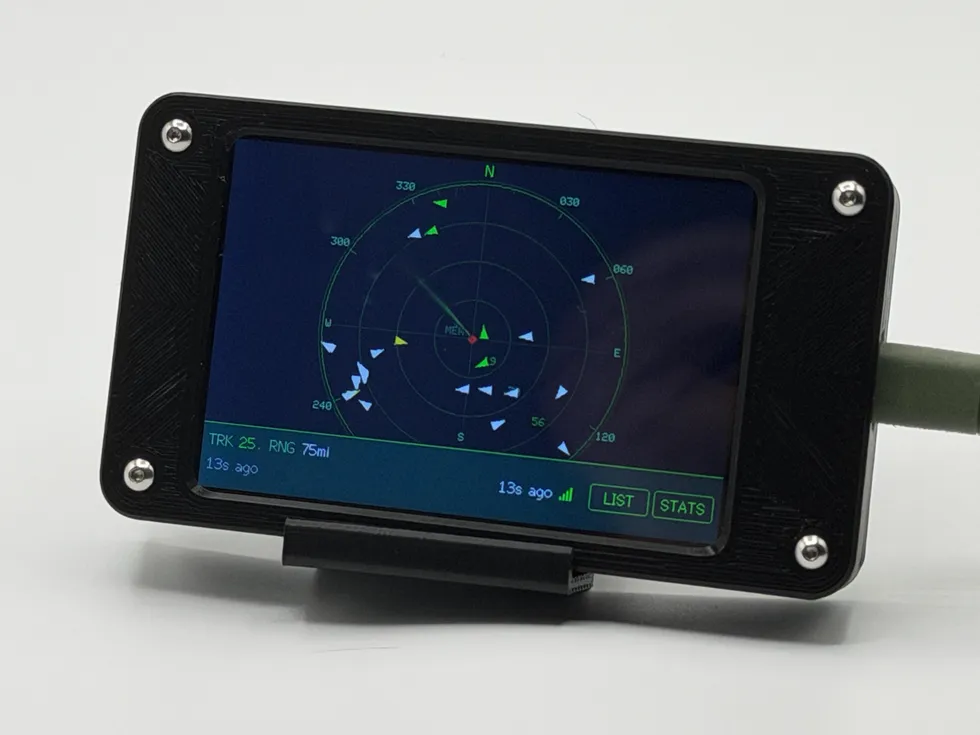 live data
 Squawk Box
live flight tracker display
from $129.99
A desk radar showing the real planes around you, colored by altitude. When one flies close enough to see, it tells you which way to look.
See the gadget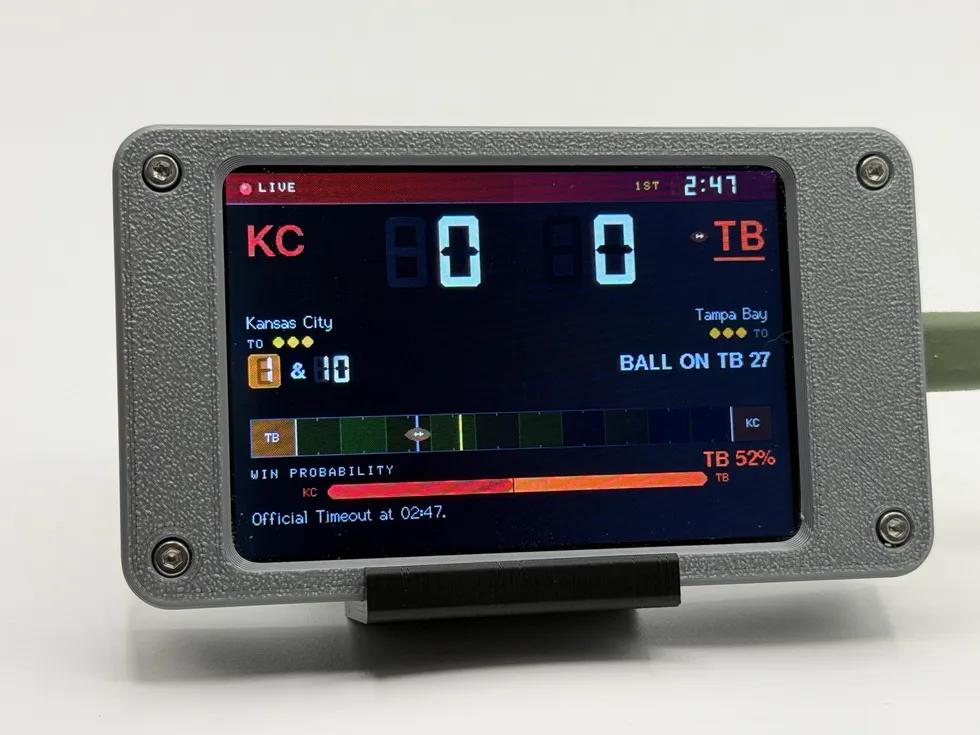 live data
 Pro Football Scoreboard
WiFi pro football scoreboard
from $109.99
Follows one pro football club all week (next kickoff, standings, injury report, roster moves), then takes over the screen the moment they play.
See the gadget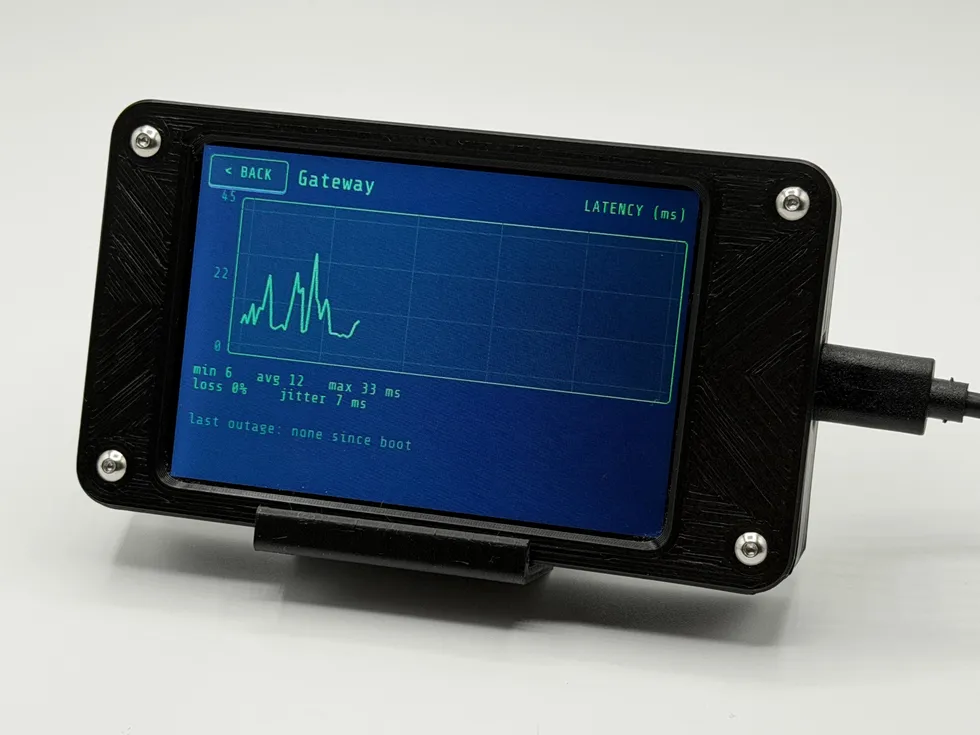 live data
 Phosphor
network monitor display
from $114.99
An always-on internet health monitor: live ping, packet loss, jitter, and a plain-English verdict (HEALTHY, DEGRADED, or WAN DOWN) in the glow of a retro terminal.
See the gadget