Phosphornetwork monitor display
from $114.99
Buy on Etsy (opens in a new tab)Is it your WiFi, or your ISP? Know instantly.
Every household has the argument: “the internet is down!” But is it? Phosphor answers instantly, from the same vantage point your laptop and console use. It actively probes your network (pinging your router, pinging the wider internet, opening real TCP connections, timing DNS lookups) and turns the evidence into a verdict you can read across the room: HEALTHY. DEGRADED. LAN DOWN. WAN DOWN. DNS FAIL.
It looks the part, too: a retro phosphor-CRT terminal in green, blue, or orange, with monospace type, a digital-rain boot sequence, and a live latency graph scrolling by. When your connection drops, the screen flashes red and shakes. When it comes back, a green pulse. You will never log into your router’s admin page again.
from $114.99
The final price, colors and shipping are on the listing, and checkout stays on Etsy.
Buy on Etsy (opens in a new tab)Checkout happens on Etsy. This opens the Phosphor listing in a new tab.
- No subscription
- Setup in a few minutes, nothing to install
- Free OTA updates
- 90-day warranty
ON THE SCREEN
What the screen tells you
Overall verdict
HEALTHY / DEGRADED / LIMITED / WAN DOWN / LAN DOWN / DNS FAIL, plus a WI-FI LOST alert.
Live latency graph
A rolling ~2-minute view of ping to your router and the internet.
Per-target detail
Min / avg / max latency, packet loss %, and jitter for each probe target.
WiFi signal
Continuously measured and color-coded, so you know if it’s your spot or your service.
Your connection to this page, right now
CONNECTINGPRESS RUN TO PROBE YOUR CONNECTION
Measured live from your browser: a tiny taste of what Phosphor does continuously, from its own vantage point on your WiFi.
THE GOOD STUFF
Why homelabbers love it
-
A verdict, not a mystery
LAN vs WAN vs DNS: it isolates where the failure actually is.
-
Active probing
Real pings, real TCP connections on port 443 and real DNS lookups, rather than passive numbers.
-
The stats that ruin game night
Live latency, packet loss %, and jitter: the stability metrics that kill calls and games.
-
Point it anywhere
Add a custom target: your work VPN, a game server, your own website.
-
Terminal-core looks
Green, blue, or orange phosphor themes with smooth animated readouts.
SPECS
The fine print, printed large
| Display | 3.5″ color resistive touchscreen, 480 × 320 |
|---|---|
| Probes | Gateway ping, Cloudflare 1.1.1.1, Google DNS 8.8.8.8, TCP-443 connect test, DNS timing, custom target |
| History | ~2-minute rolling window per target; flags “down” only after several missed replies |
| WiFi | 2.4 GHz networks; a normal WPA2 home password is fine. Not 5 GHz-only or WPA3-only networks, or ones that ask for a username or send you to a sign-in page |
| Power | 5 V over USB. USB-A to USB-C cable, about 3 feet (36 inches), included; no wall adapter, so it runs from a USB-A phone charger or a computer’s USB-A port |
| Updates | Free over-the-air firmware updates, automatic |
| Built in | Olive Branch, Mississippi (assembled and tested by hand) |
Choose your enclosure from Red, Blue, Gray and Black, plus Semi-Transparent (a frosted look that shows off the electronics) and Glow-in-the-Dark (charges in daylight, glows softly at night).
IN THE BOX
- Phosphor unit, fully assembled
- Custom desktop stand
- USB-A to USB-C cable, about 3 feet (36 inches)
- Stylus
No wall adapter is included. The cable’s USB-A plug goes into a USB-A phone charger or a computer’s USB-A port.
SETUP
- Plug it into a USB-A phone charger or a computer’s USB-A port with the included cable.
- First start only: if the screen asks you to tap each target, tap the center of each crosshair as it appears in the corners. That tunes the touchscreen.
- On your phone, join the “PlankLabs-Setup” WiFi network. If the setup page doesn’t open by itself, open a browser and go to 192.168.4.1.
- Tap Device Settings (WIFI), pick your home network and type its password. You can also add an extra target to watch and choose a display color. Tap Save.
- Done. Verdicts start rolling in within a few seconds.
START OVER
After a move, a new router or a new WiFi password:
- Tap CFG, then CHANGE WI-FI. Phosphor puts “PlankLabs-Setup” back on the air.
- Join it from your phone and pick the new network the same way as the first time. If the setup page doesn’t open by itself, go to 192.168.4.1.
The manual · PDF
Phosphor manual
The full PDF guide to your Phosphor, free to read or keep.
QUESTIONS
The ones that reach my inbox
Does it slow the network down?
Phosphor sits on your WiFi the way a laptop or a console does. Nothing routes through it, so it cannot get in anything’s way. Its probes are deliberately small: pings to your router and to public hosts, a connection test on port 443, and a timed DNS lookup, rather than the repeated speed tests that would actually eat bandwidth.
What do the verdicts actually mean?
Phosphor’s verdict is the headline reading on the screen (HEALTHY, DEGRADED, LIMITED, LAN DOWN, WAN DOWN or DNS FAIL), and each word points at one link in the chain. LAN DOWN means your router stopped answering and the trouble is inside the house. WAN DOWN means the router is fine but the internet beyond it is unreachable. DNS FAIL means you are connected, but the internet’s phone book has stopped answering. That is the difference between rebooting the right box and rebooting every box.
Where should it sit?
Phosphor measures from wherever you put it, and that is the point: it reports on the connection from the same vantage point your laptop and console use, WiFi signal strength included, rather than from inside the router. You can also give it a custom target to keep an eye on: your work VPN, a game server, or your own website.
What kind of WiFi does it need?
PlankLabs gadgets join a 2.4 GHz WiFi network. They don’t speak 5 GHz-only WiFi. That is the radio in the silicon rather than a software choice, and it comes with a consolation prize: 2.4 GHz travels farther and through walls better than 5 GHz, which suits a gadget that lives wherever it looks best rather than next to the router.
What are the warranty and return policies?
Every PlankLabs unit carries a 90-day maker warranty covering defects and hardware or firmware failures (physical damage and liquid exposure excluded). If a unit fails, you get prepaid return postage and a full refund, typically within one business day of inspection. Change-of-mind returns are accepted within seven days of delivery via Etsy, with the buyer covering return shipping.
FIELD REPORTS
From verified Etsy buyers
5 out of 5 stars
“High quality, easy to set up and get operating.”
5 out of 5 stars
“Nice product by builder providing excellent customer service.”
Adopt a Phosphor
The Etsy listing has the final price, enclosure colors and shipping, and checkout happens on Etsy with full buyer protection.
Honest fine print: this gadget displays live data from third-party sources. I’ll always do everything I can to keep the data flowing. The FAQ explains exactly what that means.
from $114.99
Buy on Etsy (opens in a new tab)MORE FROM THE LAB
Other obsessions, served
 live data
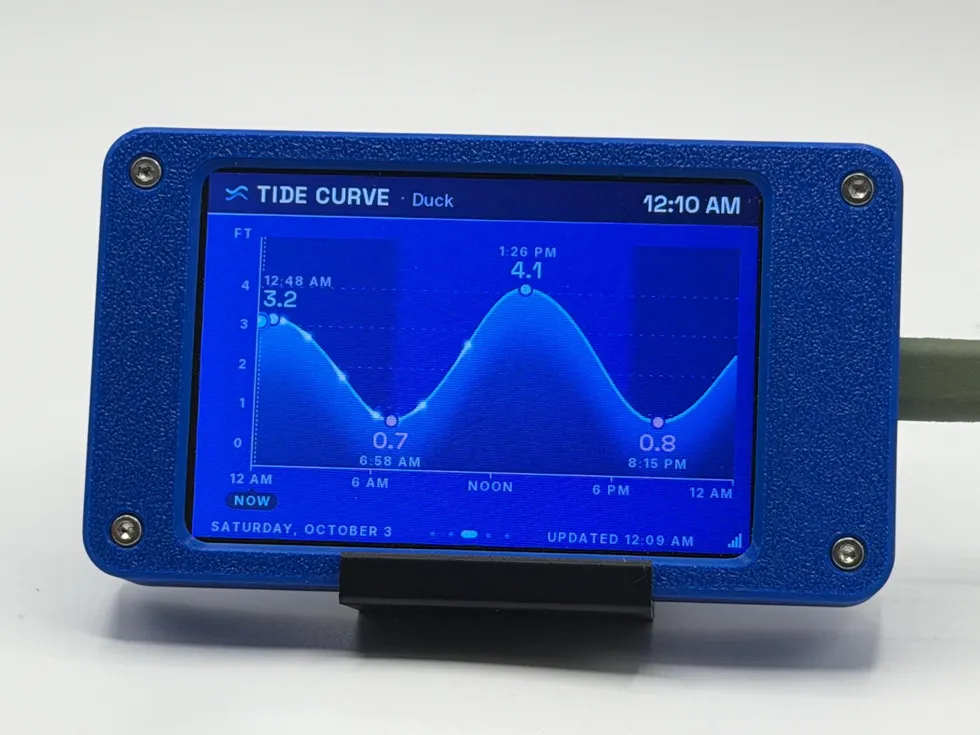
 Tide Station
digital WiFi tide clock
from $109.99
Real-time NOAA water levels, the next high and low with countdowns, moon phase, and current conditions where the station reports them, for the beach house or the landlocked dreamer.
See the gadget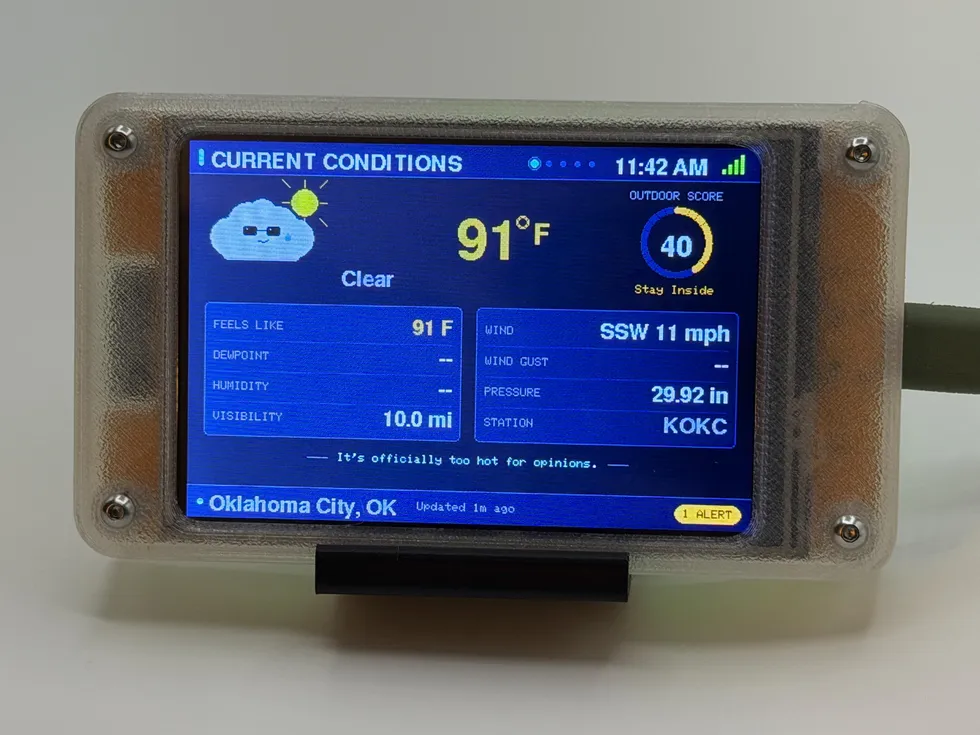 live data
 Storm Sentinel
WiFi desktop weather station
from $109.99
Forecasts, severe-weather alerts, and radar straight from the National Weather Service, plus an Outdoor Score and a storm-cloud mascot with opinions.
See the gadget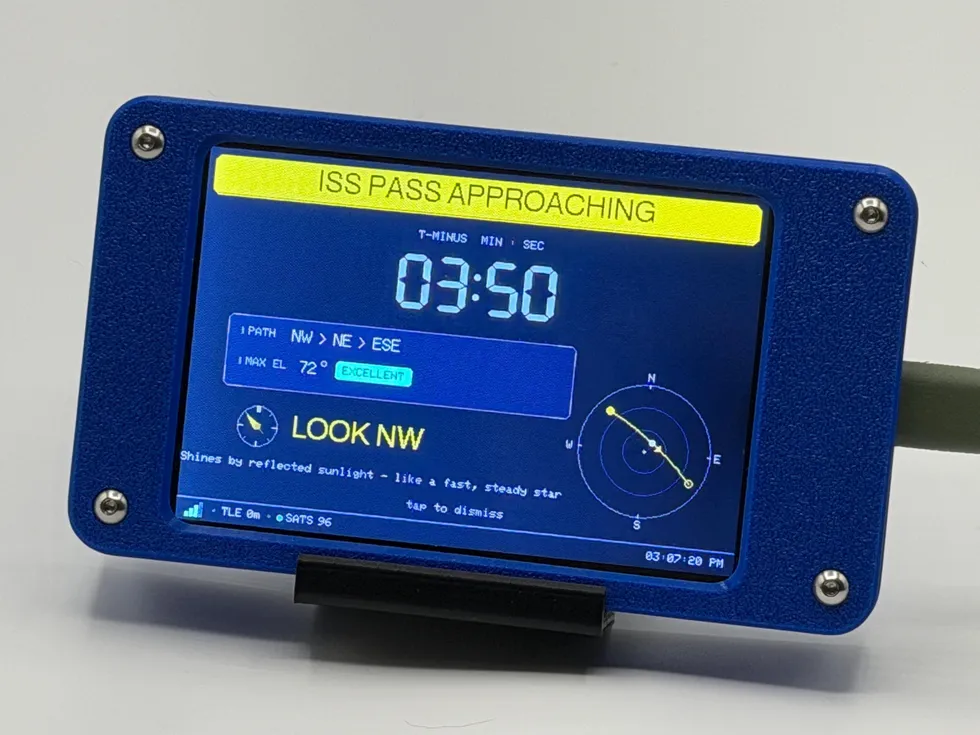 live data
 Satellite Sentinel
ISS & Starlink tracker
from $119.99
Counts down to the next visible ISS pass over your house and tells you exactly which way to look. Tracks up to 100 Starlink satellites for good measure.
See the gadget