Squawk Boxlive flight tracker display
from $119.99
Buy on Etsy (opens in a new tab)See who’s in your airspace.
Squawk Box is a desktop flight tracker: a small WiFi radar with its own 3.5″ touchscreen. It shows up to 25 real aircraft at once, within 25, 50 or 75 miles of your home, from live ADS-B data refreshed about every 90 seconds. It works in the United States only. You pay once on Etsy with no monthly fee, setup takes a few minutes in your phone’s browser, and I assemble each one by hand in Olive Branch, Mississippi.
You hear a jet go over and look up. Squawk Box already knows who it is, and shows you its callsign, aircraft type, operator, altitude, speed and distance.
Every plane is colored by altitude, the way a controller’s scope would draw it: cyan on the ground, green down low, yellow on the climb or descent, white at cruise. And when one comes close enough to actually see, the screen tells you where to look, with a compass direction and how high above the horizon. Step outside and there it is.
from $119.99
The final price, colors and shipping are on the listing, and checkout stays on Etsy.
Buy on Etsy (opens in a new tab)Checkout happens on Etsy. This opens the Squawk Box listing in a new tab.
- No subscription
- Setup in a few minutes, nothing to install
- Free OTA updates
- 90-day warranty
Squawk Box at a glance
- Kind
- Desktop flight tracker with a 3.5″ color touchscreen, 480 × 320
- Shows
- Up to 25 aircraft at once, nearest first, on a radar screen, a list, a detail view or a stats view
- Range
- 25, 50 or 75 miles from your home, changeable anytime
- Works in
- The United States only; setup takes a US city and state or ZIP code
- Flight lookup
- None. It shows the aircraft near your home, with no flight-number or worldwide lookup
- Data
- Live ADS-B, refreshed about every 90 seconds, relayed through my servers and partly sourced from adsb.lol, a community network of volunteer receivers
- Cost to run
- No subscription, app or account. You pay once on Etsy
- Setup
- A few minutes in your phone’s browser; aircraft appear within about a minute
- WiFi
- 2.4 GHz only; it won’t join 5 GHz-only or WPA3-only networks, or ones with a sign-in page
- Size
- About 4.2 in wide, 2.35 in tall and 0.72 in deep (about 107 × 60 × 18 mm)
- Made
- By hand in Olive Branch, Mississippi, with a 90-day warranty
ON THE SCREEN
Four viewing modes
Radar view
A top-down scope centered on your home. Each aircraft points the way it’s flying and is sized by type, from heavy jets down to light planes, with helicopters drawn as a cross and nearby airports as labeled diamonds.
List view
A live board of everything in range, nearest first, with callsign, altitude, speed, heading, distance, climb or descent, and aircraft type.
Detail view
Tap any aircraft for the full data block, including its tail number, transponder code, an hour of altitude history, and its predicted closest pass.
Stats view
Six rolling hours of your airspace (unique aircraft, busiest hour, highest and lowest altitudes, closest approach, most-seen airline) plus lifetime records that stay until you reset it.
The scope, in motion
SIMULATIONA demo animation of the radar view. On the real device, those blips are the actual planes near your house.
THE GOOD STUFF
Why AvGeeks love it
-
It tells you where to look
When a plane passes within three miles of your home and under 20,000 feet, a LOOK UP message shows its callsign, compass direction, and how many degrees above the horizon to look. An INBOUND notice gives you a few minutes’ warning before a close pass.
-
Colors that mean something
Cyan on the ground, green below 10,000 feet, yellow between 10,000 and 25,000, white above that. Military traffic shows up in silver, medical flights in amber, and a declared emergency flashes red.
-
The whole story on any plane
Tap an aircraft for its type, operator, tail number, vertical speed, and transponder code, along with a graph of its altitude over the last hour and a prediction of when and where it will pass closest to you.
-
It looks after itself
It rejoins your WiFi when the connection drops, dims to a night-light glow from 10 PM to 6 AM, and checks for firmware updates a few times a day. If an update ever fails, it rolls back on its own.
-
Nothing to sign up for
Flight data comes through PlankLabs’ own servers, so you never create an account or go hunting for an API key. If the data goes stale, the screen says so rather than quietly showing you old planes.
SPECS
The fine print, printed large
| Display | 3.5″ color resistive touchscreen, 480 × 320; tap to switch views |
|---|---|
| Range | 25, 50, or 75-mile radius, changeable anytime; up to 25 aircraft at once, nearest first |
| Busy skies | With more than 25 aircraft in range it shows a selection of 25, so not every plane will always appear |
| Data | Live ADS-B flight data, refreshed about every 90 seconds |
| Works in | The United States only; setup takes a US city and state or ZIP code |
| Flight lookup | None; it shows the aircraft near your home, not a search for one flight |
| App, account and subscription | None. You pay once on Etsy, and setup runs in your phone’s browser |
| Setup | A few minutes in your phone’s browser; aircraft start appearing within about a minute |
| Size | About 4.2 in wide, 2.35 in tall and 0.72 in deep (about 107 × 60 × 18 mm) |
| History | Up to 60 minutes of altitude per aircraft; six rolling hours of stats plus lifetime records |
| Intended use | Recreational and research use, not navigation or any operational aviation purpose |
| WiFi | 2.4 GHz networks; a normal WPA2 home password is fine. Not 5 GHz-only or WPA3-only networks, or ones that ask for a username or send you to a sign-in page |
| Power | 5 V over USB. USB-A to USB-C cable, about 3 feet (36 inches), included; no wall adapter, so it runs from a USB-A phone charger or a computer’s USB-A port |
| Updates | Free over-the-air firmware updates, automatic |
| Built in | Olive Branch, Mississippi (assembled and tested by hand) |
Choose your enclosure from Red, Blue, Gray and Black, plus Semi-Transparent (a frosted look that shows off the electronics) and Glow-in-the-Dark (charges in daylight, glows softly at night).
IN THE BOX
- Squawk Box, fully assembled in its 3D-printed enclosure
- Desktop stand
- USB-A to USB-C cable, about 3 feet (36 inches)
- Stylus for the touchscreen
No wall adapter is included. The cable’s USB-A plug goes into a USB-A phone charger or a computer’s USB-A port.
SETUP
- Plug it into a USB-A phone charger or a computer’s USB-A port with the included cable.
- On your phone, join the “SquawkBox-Setup” WiFi network. The setup page opens by itself; if it doesn’t, open a browser and go to 192.168.4.1.
- Pick your home WiFi from the list, then enter its password, your city and state or zip code, a search radius, and your timezone.
- Aircraft start appearing within about a minute.
START OVER
After a move, a new router or a new WiFi password:
- Hold the screen for 5 seconds.
- When Reset settings? appears, lift your finger and tap the YES button. Tapping anywhere else, or waiting 10 seconds, keeps everything.
- That clears the WiFi, your address and the lifetime records. It restarts with “SquawkBox-Setup” back on the air; join it and set up again.
The manual · PDF
Squawk Box manual
The full PDF guide to your Squawk Box, free to read or keep.
QUESTIONS
The ones that reach my inbox
Is Squawk Box a device or a program for my computer?
Squawk Box is a device: a desktop flight tracker with its own 3.5″ touchscreen that runs by itself over WiFi. It installs nothing on a computer. You plug it into a USB-A phone charger or a computer’s USB-A port, set it up once from your phone’s browser, and it shows the aircraft near your home.
How is Squawk Box different from other desktop flight trackers?
Squawk Box shows up to 25 aircraft at once on a radar scope, out to 25, 50 or 75 miles from your home, on a 3.5″ color touchscreen with radar, list, detail and stats views. Tap a plane for its type, operator, tail number and an hour of altitude history, and when one passes within three miles below 20,000 feet the screen tells you which way to look. It has limits too: it refreshes about every 90 seconds, so it is not a second-by-second view; it works in the United States only; it needs a 2.4 GHz WiFi network; and it shows the aircraft near your home, with no flight-number or worldwide flight lookup. You pay once on Etsy with no monthly fee, and I assemble each one by hand in Olive Branch, Mississippi.
How many planes can Squawk Box show at once, and how far does it see?
Squawk Box shows up to 25 aircraft at once, nearest first, within a radius you set to 25, 50 or 75 miles from your home and can change anytime. If more than 25 aircraft are in range it shows a selection of 25, so not every plane will always appear. The radar view is centered on your home, and the list view puts the aircraft in range on one board, nearest first.
Does Squawk Box need a subscription, an app or an account?
No. You pay once on Etsy, and that is the whole cost. Setup happens in your phone’s web browser, so there is no app to install and no account to create. Free firmware updates arrive over the air on their own. The flight data comes from outside sources, and the last question on this page covers what happens if one changes.
How do I find out what plane is flying over my house?
Squawk Box, a desktop flight tracker, shows the real aircraft near your home on its own screen, each with its callsign, aircraft type, operator, altitude, speed and distance. When a plane passes within three miles of your home below 20,000 feet, a LOOK UP message gives its compass direction and how many degrees above the horizon to look. It can only show aircraft that broadcast ADS-B and reach its data sources, which covers most traffic but not all of it.
Does it need an antenna or a receiver?
Squawk Box isn’t a radio receiver, so there’s no antenna or dongle involved. Aircraft positions arrive over your home WiFi as live ADS-B data, relayed through PlankLabs’ own servers and refreshed about every 90 seconds, which means it works just as well on an interior desk as it would beside a window.
What does LOOK UP mean on the screen?
Squawk Box shows LOOK UP when an aircraft comes within three miles of your home below 20,000 feet. A message like “LOOK UP · DAL123 · NE ^62” means that flight is to the northeast, 62 degrees above the horizon, or roughly two-thirds of the way from the horizon to straight overhead. Step outside, face that way, and it should be right there. A few minutes before a close pass you’ll usually see an INBOUND notice first.
Does it need to be near an airport?
Squawk Box doesn’t need to be near an airport, though living near one makes it livelier. Cruising traffic shows up across most of the country, and the search radius goes out to 75 miles. Coverage leans partly on volunteer receivers, so it’s strongest around cities and major airports and can be thinner somewhere very remote. Someone under a busy approach path will see a packed scope; someone rural will mostly see the high overflights crossing the country.
Does Squawk Box work outside the United States?
No. Squawk Box works in the United States only, and setup asks for a US city and state or a ZIP code. Inside the United States, coverage is strongest around cities and major airports and can be thinner somewhere very remote.
Can I look up a specific flight with Squawk Box?
No. Squawk Box shows the aircraft near your home, within 25, 50 or 75 miles, and has no flight-number lookup and no worldwide view. Tap any aircraft on the screen for its type, operator, tail number and an hour of altitude history. A plane that is not in range cannot be searched for.
Why doesn’t every plane I hear show up?
Squawk Box can only show aircraft that broadcast ADS-B and reach its data sources, which covers most traffic but not all of it. Some of that data comes from adsb.lol, a community network of volunteer receivers, so a plane is occasionally missing where no receiver can hear it. Some aircraft aren’t required to carry ADS-B at all, some owners use privacy programs that hide their identity, and in busy airspace with more than 25 aircraft in range the screen shows a selection of 25. It’s built for watching the sky, not for flight following.
What kind of WiFi does it need?
Squawk Box needs a 2.4 GHz WiFi network. It can’t join a network that is 5 GHz-only or WPA3-only, or one that asks for a username or sends you to a sign-in page, but most home routers broadcast a 2.4 GHz network alongside their 5 GHz one, and the setup page lists the networks it can see. If setup fails, it tells you why in plain English. Not sure about your router? Message the shop on Etsy before you order.
What happens if a data source changes or shuts down?
I make every reasonable effort to keep your PlankLabs gadget working, and updates arrive over the air on their own, but nobody can guarantee that an outside data feed will exist forever, and most gadgets depend on one. The hardware is always yours, and the data is for delight and general awareness, never for navigation, emergencies or safety-critical decisions.
FIELD REPORTS
From verified Etsy buyers
5 out of 5 stars
“This is a very cool little device. On a long lay over I was killing time by surfing Etsy and found it. I had no idea such a thing existed! It’s fun to see who’s in “my airspace.””
5 out of 5 stars
“Very nice gadget. Living south of the ATL airport, it’s fun to see what planes are flying over.”
5 out of 5 stars
“High quality, very easy to set up and get working.”
Adopt a Squawk Box
The Etsy listing has the final price, enclosure colors and shipping, and checkout happens on Etsy with full buyer protection.
Honest fine print: this gadget displays live data from third-party sources. I’ll always do everything I can to keep the data flowing. The FAQ explains exactly what that means.
from $119.99
Buy on Etsy (opens in a new tab)MORE FROM THE LAB
Other obsessions, served
 live data
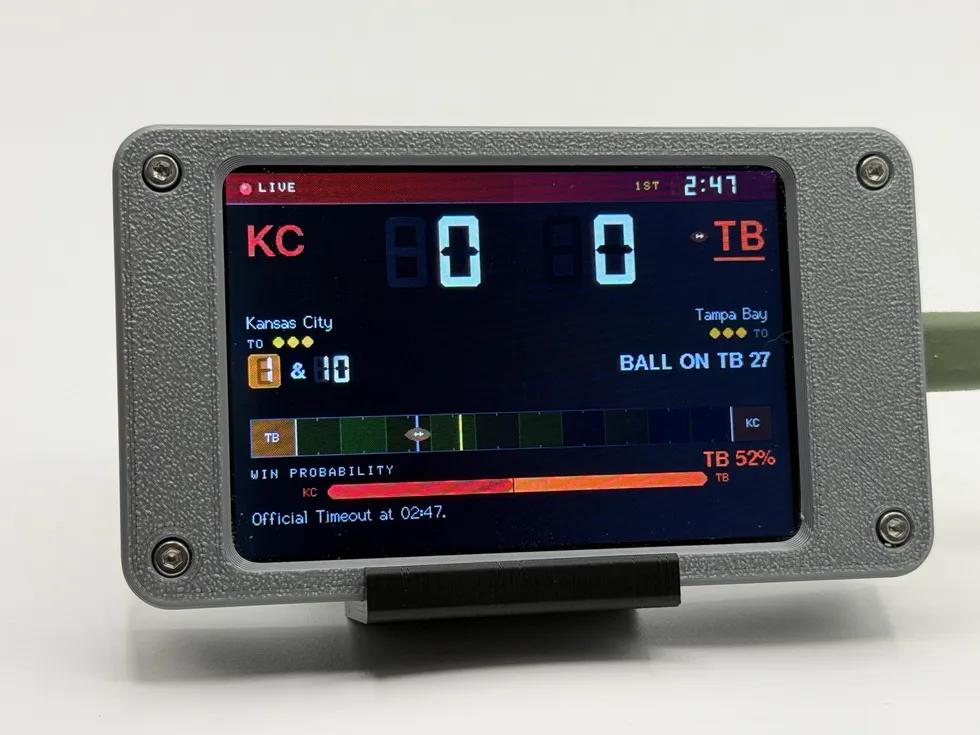
 Pro Football Scoreboard
WiFi pro football scoreboard
from $109.99
Follows one pro football club all week (next kickoff, standings, injury report, roster moves), then takes over the screen the moment they play.
See the gadget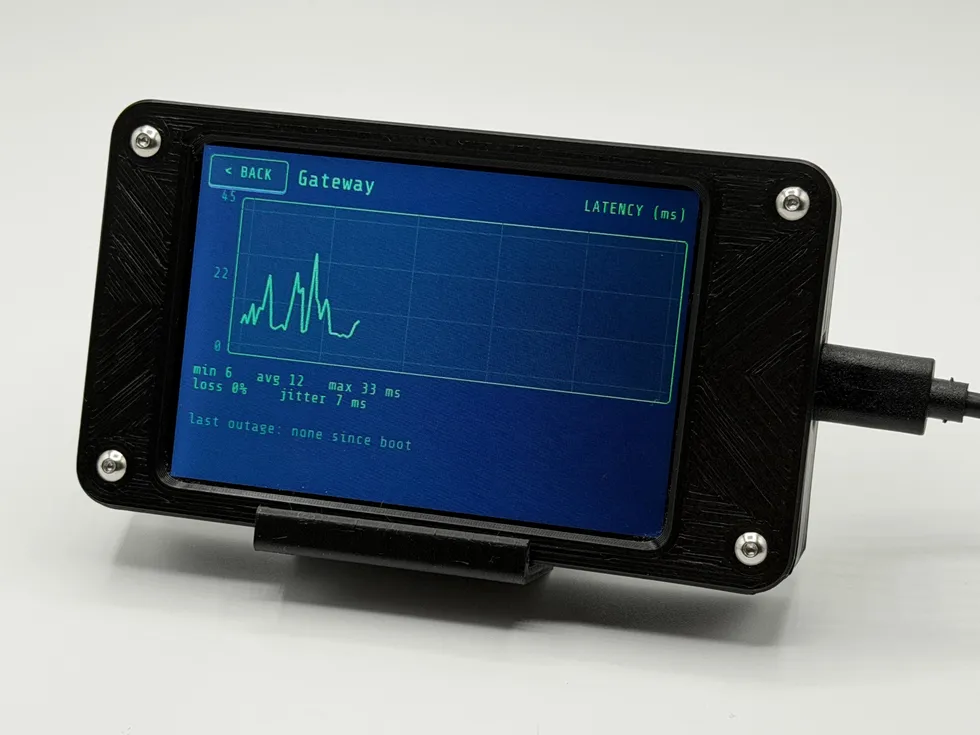 live data
 Phosphor
network monitor display
from $114.99
An always-on internet health monitor: live ping, packet loss, jitter, and a plain-English verdict (HEALTHY, DEGRADED, or WAN DOWN) in the glow of a retro terminal.
See the gadget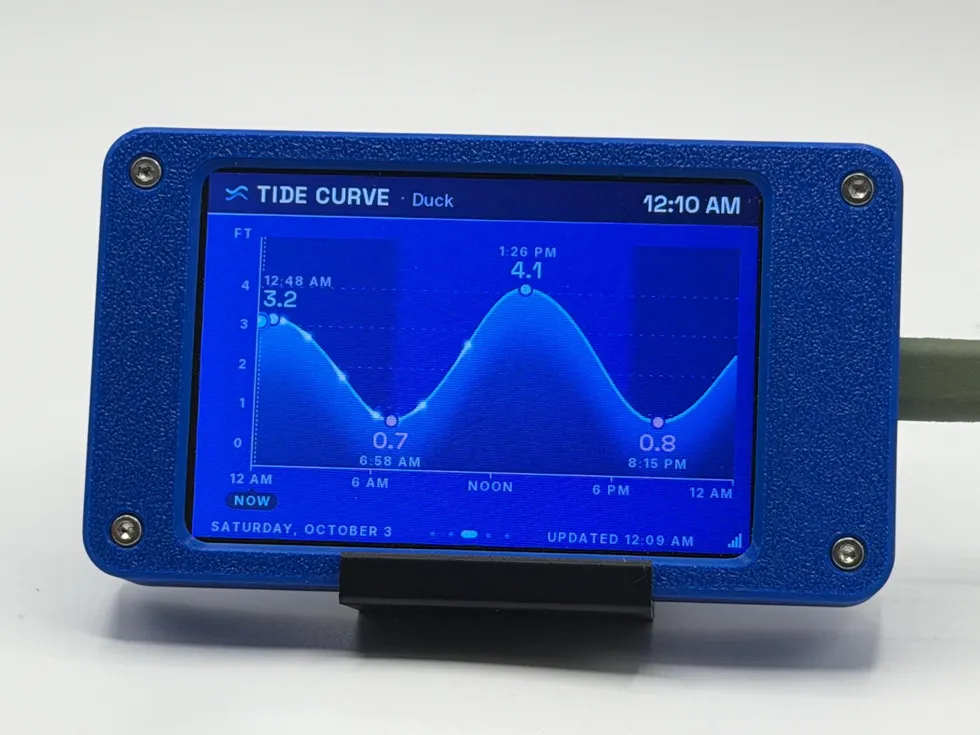 live data
 Tide Station
digital WiFi tide clock
from $109.99
Real-time NOAA water levels, the next high and low with countdowns, moon phase, and current conditions where the station reports them, for the beach house or the landlocked dreamer.
See the gadget